
Download Cookie Monster – Cookie Management, Privacy Protection, Browser Utility
Overview
Cookie Monster is a dedicated utility designed to help users manage cookies stored by various web browsers, including Internet Explorer, Mozilla, Netscape, and Opera. Its primary purpose is to empower individuals with greater control over their online data by providing a centralized interface to view, analyze, and remove cookies. This functionality addresses growing concerns about digital privacy and online tracking, offering a practical solution for users who wish to maintain cleaner browsing histories and reduce data exposure.
Target users include privacy-conscious individuals, casual internet users seeking to manage their digital footprint, and those who want to optimize their browsing experience by removing unnecessary or outdated cookies. While the developer did not provide additional background information, the app’s longevity—first released in 2009—suggests a proven track record in its niche. The application remains relevant in the broader ecosystem of privacy and security tools, particularly for users who prefer lightweight, focused utilities over complex browser-based settings.
Real-world use cases include clearing tracking cookies before sensitive online activities, managing storage space by removing redundant cookies, and enhancing security by eliminating potentially vulnerable cookie data. Despite its age, Cookie Monster continues to serve as a foundational tool for users who value transparency and control over their web browsing data.
Key Features & Functionality
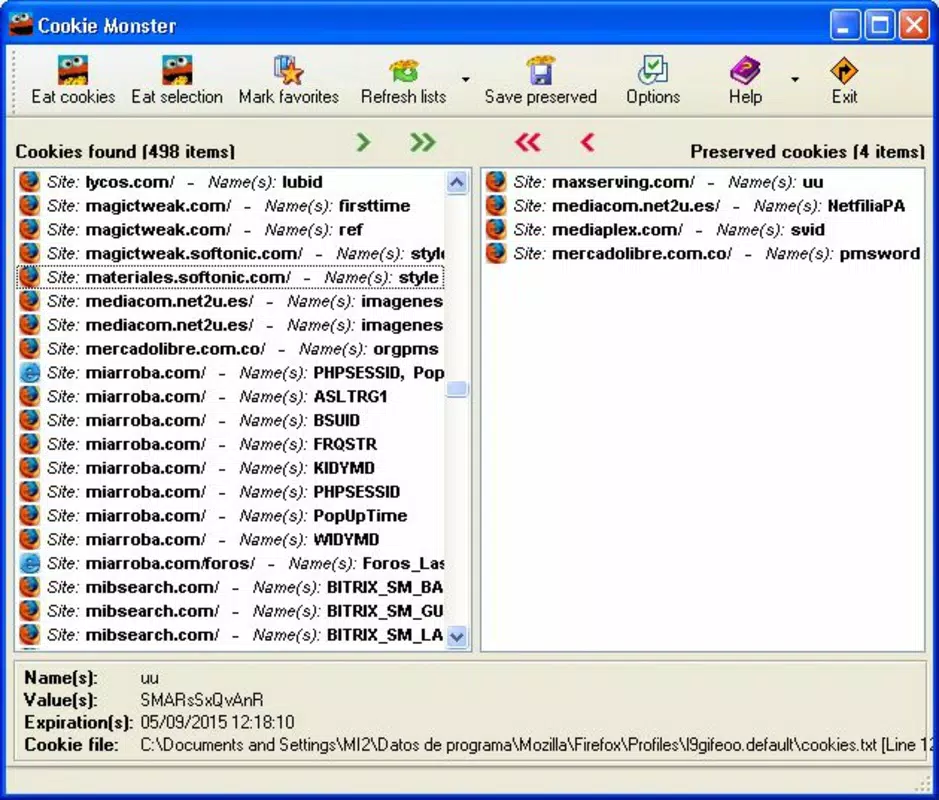
- Comprehensive Cookie Management: Cookie Monster consolidates cookies from multiple browsers into a single view, allowing users to inspect all stored data in one place. This centralized access simplifies the process of identifying cookies that may be redundant, outdated, or potentially intrusive.
- Enhanced Privacy Protection: By enabling users to delete cookies that track online behavior, the app helps reduce exposure to targeted advertising and data harvesting. This feature supports proactive privacy hygiene, especially for users concerned about long-term data retention.
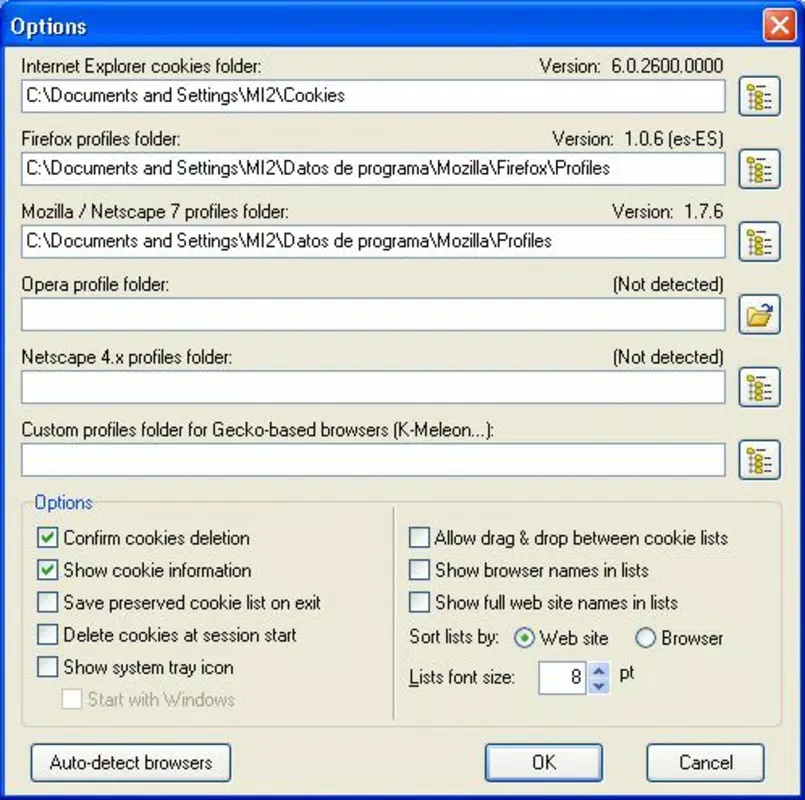
- Multi-Browser Compatibility: The utility supports a range of legacy and widely used browsers, including Internet Explorer, Mozilla Firefox, Netscape, and Opera. This broad compatibility ensures that users across different platforms can access and manage their cookies without switching tools.
- User-Friendly Interface: The application features an intuitive layout with straightforward navigation, making it accessible to users with varying technical skill levels. The clean menu structure allows quick access to key functions without overwhelming the user with complexity.
- Selective Cookie Removal: Instead of clearing all cookies at once, users can choose specific entries for deletion. This granular control helps preserve login sessions and preferences while eliminating unwanted data, maintaining a balanced browsing experience.
For example, a user might use Cookie Monster to remove third-party tracking cookies from a shopping site after completing a purchase, thereby minimizing future targeted ads. Another scenario involves clearing cookies before using a public computer to prevent session leakage. These practical applications demonstrate how the app delivers tangible value in everyday digital routines.
Interface, UX & Performance
The interface of Cookie Monster is designed with simplicity and functionality in mind. Users are presented with a clear list of stored cookies, organized by domain and type, allowing for quick identification and selection. Navigation is linear and predictable, with minimal clicks required to access core features such as viewing, filtering, and deleting cookies.
Visual style remains minimalistic, focusing on usability rather than graphical flair. This approach ensures that the app remains lightweight and responsive, even on older or lower-end devices. Although the developer did not list formal performance metrics, the application’s long-standing presence suggests a stable and reliable operation under typical usage conditions.
Responsiveness appears consistent across different device categories, though specific performance benchmarks were not disclosed. Stability is implied by the app’s continued availability since 2009, indicating that it has undergone maintenance and adaptation to changing environments. The lack of reported crashes or compatibility issues further supports its reliability for core tasks.
Platform Compatibility & Technical Requirements
Cookie Monster is available for desktop operating systems, though specific platform details were not fully disclosed. The application is compatible with multiple browsers, including Internet Explorer, Mozilla, Netscape, and Opera, suggesting it runs on Windows-based systems. The file size was not provided, but its utility-focused nature implies a lightweight footprint.
The developer did not specify minimum OS requirements or software version compatibility beyond browser support. As such, users should verify system compatibility based on their installed browser versions and operating system. No official information was provided regarding updates, installation methods, or security protocols.
Pros and Cons
Pros
- Centralized view of cookies across multiple browsers
- Supports legacy and widely used web browsers
- Intuitive interface suitable for non-technical users
- Allows selective removal of cookies without affecting all data
- Helps enhance online privacy and reduce tracking
Cons
- Developer did not provide technical specifications or system requirements
- No information on recent updates or maintenance status
- Limited visibility into security or encryption practices
- Compatibility with modern operating systems not confirmed
- No official support channels or documentation provided
FAQ
Is Cookie Monster safe to use?
The application is designed to manage cookies stored by web browsers. As long as it is downloaded from a trusted source, it poses no inherent risk. However, users should exercise caution when removing cookies, as this may affect login sessions or site preferences.
Can I use Cookie Monster on my current browser?
Cookie Monster supports Internet Explorer, Mozilla, Netscape, and Opera. If your browser is among these, it should be compatible. However, support for newer or less common browsers was not specified.
Does Cookie Monster automatically update?
The developer did not provide information about automatic updates. Users may need to manually check for updates or rely on third-party sources.
Is Cookie Monster available for mobile devices?
Based on available information, Cookie Monster is designed for desktop environments and does not appear to be available for Android or iOS platforms.
How does Cookie Monster protect my privacy?
By allowing users to view and delete cookies, especially tracking and third-party cookies, the app helps reduce data collection and online tracking. This enables users to take direct control over their digital footprint.
Final Thoughts + CTA
Cookie Monster stands as a focused, practical tool for users seeking greater control over their browser cookies. Despite its age, it remains a relevant utility in the privacy-conscious digital landscape, offering a straightforward way to manage online data without relying on complex browser settings. Its multi-browser support and user-friendly design make it accessible to a broad audience, particularly those who value simplicity and transparency.
While the lack of updated technical details and modern platform support limits its appeal to some users, its core functionality continues to deliver value. For individuals looking to clean up their browsing history, enhance privacy, or maintain better control over their digital presence, Cookie Monster offers a reliable, no-frills solution.
Download Cookie Monster now


